



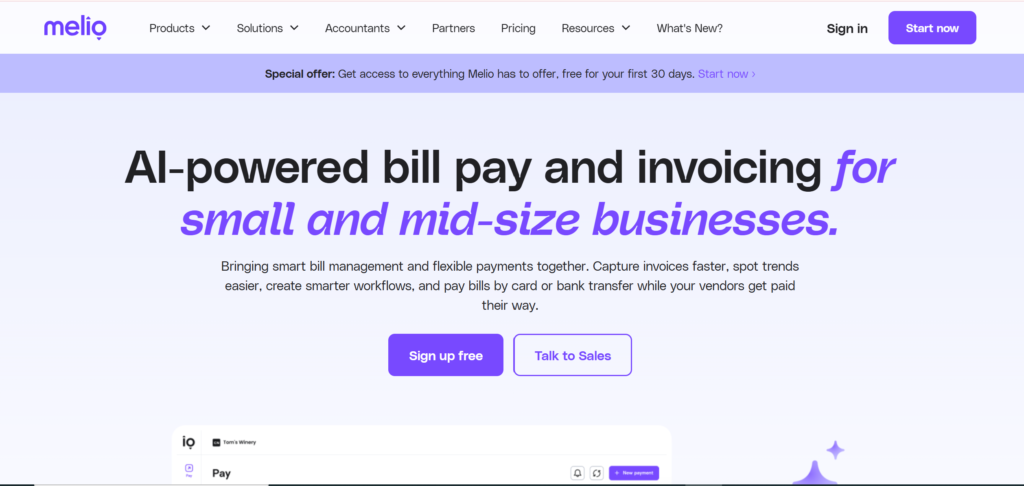
Melio is a modern payment platform that helps small businesses, freelancers, and accountants manage their vendor payments quickly and efficiently. From sending bank transfers and credit card payments to scheduling bills and tracking transactions, Melio simplifies the entire payment process. In this guide, we’ll break down how Melio works, its key features, pricing, pros and cons, and help you decide if it’s the right solution for your business.
How Does Melio Work?
Melio is designed to make it easier for businesses to pay their vendors, contractors, and suppliers. The platform simplifies the entire payment process by allowing you to send and manage payments from one dashboard. Whether you want to pay using a bank transfer or a credit card, Melio gives you flexible options to handle your business payments efficiently.
Here is a simple step-by-step explanation of how Melio works.
1. Create a Melio Account
The first step is to sign up for a Melio account. Registration is simple and only takes a few minutes. After creating your account, you can connect your business bank account or add a credit card to start sending payments.
Once your payment methods are connected, you can begin managing all your vendor payments from the Melio dashboard.
2. Add Vendors and Bills
After setting up your account, the next step is to add the vendors you want to pay. With Melio, you can manually enter vendor information or upload bills directly to the platform.
You can include details such as:
- Vendor name
- Payment amount
- Due date
- Payment method
This helps keep all your payment information organized in one place.
3. Choose Your Payment Method
One of the most useful features of Melio is the flexibility it offers when sending payments.
You can pay vendors using:
- Bank transfer (ACH) – usually free
- Credit card – useful even if your vendor does not accept cards
If you choose to pay with a credit card, Melio will charge the card and then send the payment to your vendor via bank transfer or check.
4. Schedule or Send Payments
With Melio, you can send payments immediately or schedule them for a future date. Scheduling payments helps businesses avoid late fees and maintain better cash flow.
You can also set up multiple payments at once using batch payments, which saves time when paying several vendors.
5. Track Payment Status
Once a payment is sent, Melio allows you to track its status in real time. You can see when the payment is sent, processed, and received by the vendor.
This transparency makes it easier to manage accounts payable and keep accurate financial records.
In simple terms, Melio works as a centralized payment system that helps businesses send, schedule, and track vendor payments from one platform. Its simple interface and flexible payment options make it a convenient tool for small businesses looking to streamline their payment processes.
Key Features of Melio
Melio offers several useful features designed to simplify business payments and help companies manage their accounts payable more efficiently. Whether you run a small business, work as a freelancer, or manage finances for clients, Melio provides tools that make sending and tracking payments much easier.
Below are some of the most important features of Melio.
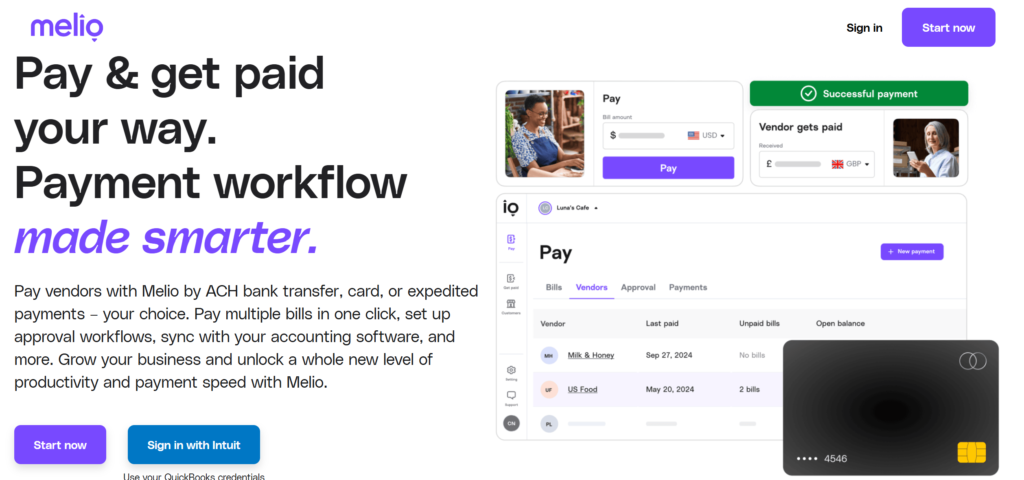
1. Pay Vendors by Bank Transfer or Credit Card
One of the biggest advantages of Melio is the flexibility it offers when paying vendors. Businesses can send payments using a bank transfer (ACH) or a credit card.
Even if a vendor does not accept credit cards, Melio allows you to pay with your card while the vendor receives the payment through bank transfer or check. This feature can help businesses manage cash flow and earn credit card rewards.
2. Schedule Payments in Advance
With Melio, businesses can schedule payments ahead of time. Instead of manually paying bills on the due date, you can set up payments in advance and let the platform handle the rest.
Scheduled payments help reduce the risk of missing deadlines, avoid late fees, and improve overall financial organization.
3. Batch Payments
For businesses that need to pay multiple vendors at once, Melio provides a batch payment feature. This allows users to select several bills and pay them all at the same time.
Batch payments save time and simplify the payment process, especially for businesses with many monthly expenses.
4. Real-Time Payment Tracking
Another helpful feature of Melio is the ability to track payment status in real time. Once a payment is sent, users can monitor its progress directly from the dashboard.
This transparency makes it easy to see when a payment is processed and when the vendor receives it.
5. Integration With Accounting Software
Melio integrates with popular accounting tools like QuickBooks Online. This integration allows businesses to sync their bills, payments, and financial records automatically.
By connecting Melio with accounting software, users can reduce manual data entry and keep their financial information accurate and up to date.
6. 1099 Reporting for Contractors
For businesses that work with freelancers or contractors, Melio makes tax reporting easier. The platform automatically tracks eligible payments and generates 1099 reports that can be used during tax season.
This feature helps business owners stay organized and reduces the time spent preparing tax documents.
Overall, the features offered by Melio are designed to simplify business payments, improve financial organization, and save time for business owners. With flexible payment options, automation tools, and accounting integrations, Melio is a powerful solution for managing vendor payments efficiently
Melio Pricing
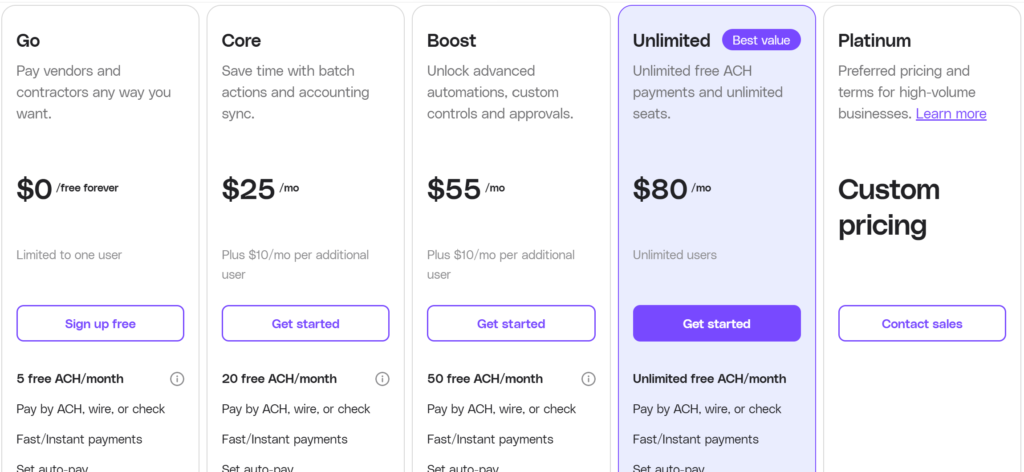
Melio offers flexible pricing that works well for small businesses. One of the biggest advantages of Melio is that you can start using the platform for free and only pay fees when you use certain payment methods or premium features.
Below is a clear breakdown of how Melio pricing works.
Free Plan
Melio offers a free plan that allows businesses to send and manage payments without paying a monthly fee. This makes it a great option for small businesses that want to simplify bill payments without adding extra costs.
With the free plan, you can:
- Create and manage payments
- Pay vendors using bank transfers
- Track payment status
- Send invoices and receive payments
However, the free plan may include limits on the number of free ACH payments each month depending on the plan level.
ACH Bank Transfers
Standard ACH bank transfers are one of the most affordable ways to send payments through Melio. Many plans include a number of free ACH payments, and additional payments may cost about $0.50 per transaction.
Because ACH transfers have very low fees, they are often the preferred payment method for businesses using Melio.
Credit Card Payments
If you choose to pay vendors using a credit card, Melio charges a 2.9% fee on the payment amount.
Although this fee applies, many businesses still use credit cards because it allows them to:
- Extend cash flow
- Earn credit card rewards
- Pay vendors that normally do not accept cards
Expedited Payment Fees
Businesses that need faster payment delivery can choose expedited options in Melio, which include additional fees. For example:
- Same-day ACH transfer: about 1% of the payment amount (with a cap)
- Fast check delivery: around $20
- Overnight check delivery: around $50
- Instant transfers: about 1% of the transaction amount
These options are useful when vendors require urgent payments.
International Payment Fees
If you need to send payments to vendors outside the United States, Melio supports international transfers. Typically, international payments cost a flat fee of around $20 per transaction.
Monthly Paid Plans
In addition to the free plan, Melio also offers paid plans with more advanced features and higher payment limits. Some plans start at around $25 per month, while larger plans can cost $55 per month or more, depending on the features and number of users.
These plans usually include:
- More free ACH payments
- Batch payments
- Approval workflows
- Advanced automation tools
Pros and Cons of Melio
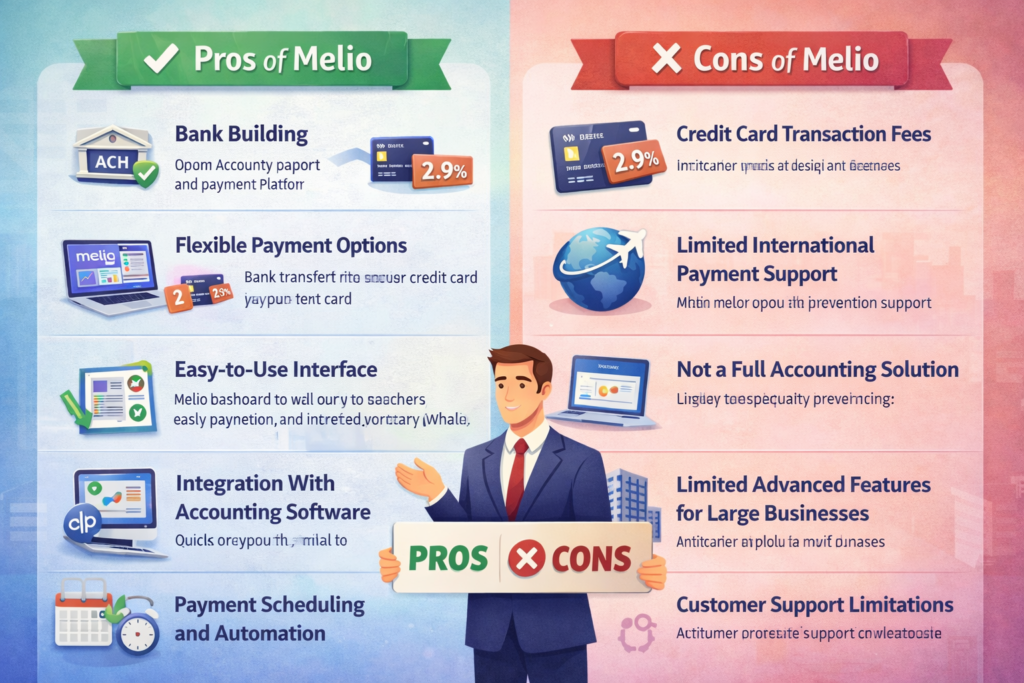
Melio is a popular payment platform designed to help small businesses manage and send vendor payments more efficiently. Like any financial tool, Melio has both advantages and limitations. Understanding the pros and cons of Melio can help you decide whether it is the right payment solution for your business.
Pros of Melio
1. Free ACH Bank Transfers
One of the biggest benefits of Melio is that businesses can send payments through ACH bank transfers without paying a monthly subscription fee. This makes it a cost-effective option for companies that frequently pay vendors or suppliers.
2. Flexible Payment Options
Melio allows users to pay vendors using bank transfers, credit cards, or checks. Even if a vendor does not accept credit cards, you can still pay with a card while Melio sends the payment as a bank transfer or check. This flexibility helps businesses manage cash flow more effectively.
3. Easy-to-Use Interface
The platform is designed to be simple and user-friendly, making it easy for small business owners and accountants to manage payments from one dashboard. The intuitive interface helps reduce the learning curve for new users.
4. Integration With Accounting Software
Melio integrates with accounting tools like QuickBooks, allowing businesses to automatically sync bills, payments, and financial records. This integration reduces manual data entry and simplifies bookkeeping.
5. Payment Scheduling and Automation
Another major advantage of Melio is the ability to schedule payments in advance. Businesses can set payment dates to ensure vendors are paid on time while maintaining better control of their cash flow.
Cons of Melio
1. Credit Card Transaction Fees
Although Melio offers free ACH transfers, credit card payments typically come with a 2.9% transaction fee. This fee can add up for businesses that process large or frequent payments using credit cards.
2. Limited International Payment Support
While Melio supports some international payments, the platform is mainly designed for U.S.-based transactions. Businesses that frequently pay international vendors may find its global payment capabilities somewhat limited.
3. Not a Full Accounting Solution
Melio focuses primarily on payment processing and accounts payable management. It does not include full accounting features such as financial reporting, tax management, or expense tracking, which means businesses usually need separate accounting software.
4. Limited Advanced Features for Large Businesses
Because Melio is designed mainly for small businesses, larger organizations may find that it lacks advanced automation, reporting, or enterprise-level features.
5. Customer Support Limitations
Some users report slower response times from customer support or limited support channels. This can be frustrating if you encounter urgent payment or account issues.
Conclusion of Melio
Melio is a powerful and flexible payment platform designed to simplify how small businesses manage vendor payments. With features like free ACH transfers, credit card payments even for vendors who don’t accept cards, batch payments, scheduling, and integration with accounting software, Melio makes it easier to stay on top of accounts payable.
For small business owners, freelancers, or accountants looking for a cost-effective way to manage payments, Melio provides a user-friendly, efficient, and reliable solution. While there are some limitations, such as credit card fees, limited international support, and fewer advanced enterprise features, the benefits often outweigh the drawbacks for businesses primarily operating in the U.S.
In summary, if you want a simple, flexible, and affordable way to streamline your business payments, Melio is definitely worth considering. It can save time, reduce manual work, and improve financial organization, making it a valuable tool for small business payment management.
